Vexleynira
Free Capsule
Free Capsule
Couldn't load pickup availability
Share
- 📄 Digital file available after purchase
- ♾️ Long-term availability
- 🔐 Secure checkout
- 🗓️ Content updated in 2026
Self-paced learning overview
1. Problem Statement
Beginners often study HTML, CSS, and JavaScript separately without fully understanding how these technologies work together when creating a webpage. HTML defines document structure, but without an understanding of semantic elements, building a page can become a collection of unrelated tags. CSS introduces visual presentation, while the cascade, selectors, and box model require a structured learning approach. JavaScript introduces interactivity, but without a basic understanding of document structure, working with webpage elements may seem unclear.
2. Solution
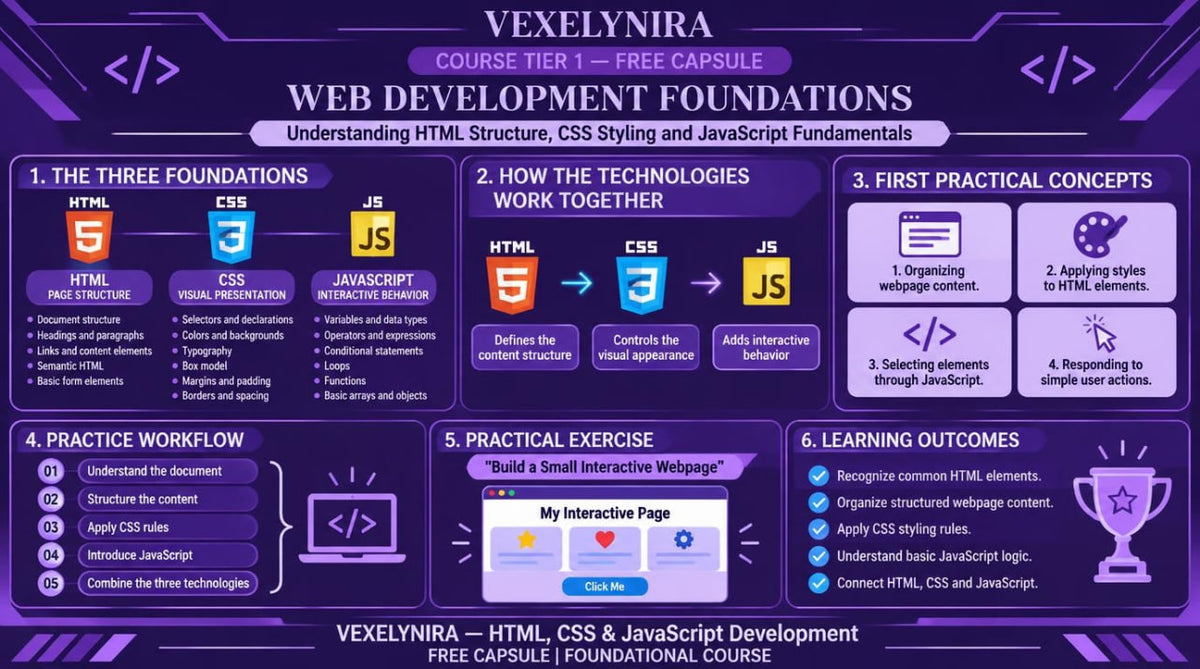
Free Capsule brings HTML, CSS, and JavaScript fundamentals together in one introductory learning program. You will begin with HTML document structure, explore semantic elements, and learn how to connect CSS styles to individual parts of a webpage. The course then introduces basic JavaScript constructs, DOM interaction, and event handling. At the end, you will be able to apply the concepts covered in a small webpage featuring visual styling and a simple interactive function.
3. What's Inside
Module 1: Introduction to Web Development
Learn the purpose of HTML, CSS, and JavaScript and the role each technology plays in webpage structure.
Module 2: HTML Document Structure
Learn to create a basic HTML document and work with headings, paragraphs, links, and lists.
Module 3: Semantic HTML Elements
Explore semantic elements and learn to organize webpage content into logical sections.
Module 4: CSS Selectors and Cascade
Study selectors, inheritance, the cascade, and the rules that determine how styles apply to HTML elements.
Module 5: CSS Box Model and Layout
Explore margin, padding, border, width, and display properties, along with the principles of building a basic page layout.
Module 6: Responsive Design Foundations
Study fluid element sizing, media queries, and adapting webpage layouts to different screen dimensions.
Module 7: JavaScript Fundamentals
Explore variables, data types, conditions, functions, and basic data operations.
Module 8: DOM and Event Handling
Learn to locate HTML elements with JavaScript, modify their content, and respond to user events.
Module 9: First Interactive Webpage
Combine HTML, CSS, and JavaScript in a small learning project featuring structured content, styling, and an interactive button.
4. Who Is This For?
A suitable choice if you:
✅ Are beginning your study of HTML, CSS, and JavaScript.
✅ Want to understand how webpage structure is created.
✅ Want to explore CSS selectors, styling, and layout fundamentals.
✅ Want an introduction to JavaScript syntax.
✅ Prefer studying through explanations, code examples, and practical exercises.
This course may not suit you if you:
❌ Are looking for an in-depth study of complex web application architecture.
❌ Already work with advanced JavaScript concepts and complex interfaces.
❌ Expect detailed coverage of server-side development, databases, or complex system integrations.
5. What You'll Learn
After studying the materials, you will be able to:
- Explain the roles of HTML, CSS, and JavaScript in web development.
- Create basic HTML document structures.
- Use headings, paragraphs, lists, links, and semantic elements.
- Apply CSS selectors and understand cascade principles.
- Work with the CSS box model.
- Use Flexbox for basic element layout.
- Understand the principles of responsive webpage styling.
- Declare variables and use fundamental JavaScript data types.
- Create functions and conditional statements.
- Locate and modify HTML elements through the DOM.
- Handle clicks and other basic events.
- Combine all three technologies in one small learning project.
6. Refund Information
Before placing an order, please review the official Vexleynira Refund Policy. The applicable terms and procedures for handling related requests are provided on the dedicated Refund Policy page.
How are the learning materials organized?
How are the learning materials organized?
Each course is divided into themed modules containing technical explanations, code examples, and practical exercises. This structure helps learners examine individual concepts and understand how they relate to one another.
Do I need previous knowledge to study the courses?
Do I need previous knowledge to study the courses?
Not necessarily. The collection includes learning materials for beginners as well as courses covering extended HTML, CSS, and JavaScript topics. The recommended study level is stated in each course description.